
What is the Microsoft Global Help Desk (GHD)?
The GHD serves the needs of internal Microsoft staff (FTE and contingent) through online and phone support for computer and hardware related issues. Consequently, only issues related to Microsoft’s corporate environment are addressed in my videos.

How many videos did you make?
As a contributor to this project, I created 40+ videos.
What was involved in making this video?
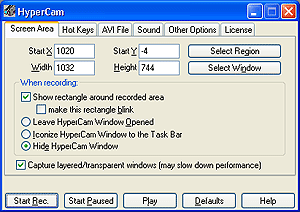
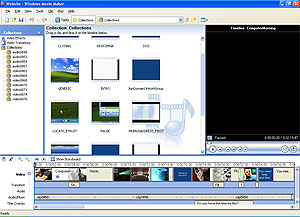
For this particular video, I was tasked with writing the dialogue, recording my voice for the voice-over, researching images, filming the on-screen action (using HyperCam 2), and then piecing it all together in post-production using Windows Movie Maker 2.1.

Why was this video created?
One of the single greatest costs to the GHD is direct phone calls to the help desk. In an initiative to lower call volumes, the GHD created an internal website, http://FASTHELP, and needed a promotional video to market its presence to internal employees. I created this video to help promote visibility of the website to Microsoft’s 50,000+ employees, vendors and contractors worldwide. Staff in over 15 nations continue to watch this video as an introduction to the services we offer.
Did you contribute anything beyond your normal duties?
At the beginning of the project, Jeremy Eubanks (my manager) gave me permission to request any video editing tools necessary for the project. However, I wanted to lower costs for the group, so I researched different video editing options. Fortunately, I discovered that Windows Movie Maker is included with Windows XP SP2, and so I ramped up on that tool and began making videos, all with no extra costs to the team.
How were your efforts received by Marketing?
When I created the first version of this video, I expected some constructive criticism, followed by a V2, and perhaps a V3. However, to my surprise, my manager was thrilled with the V1. In fact, that version is what we have live on the website now, and what marketing uses in live presentations before key stakeholders. The version I’m serving here I would call V1.1, as a small clip was later added to point users to another video we offer.
The reaction to this video, and others, was overwhelmingly positive. To view some of this feedback, please see the Peer Review feedback section of my website
How can I watch this video?
Please click the link below. If you would like to watch other instructional videos I’ve created, please click the link below it. All samples have been approved for public viewing.